Originally published on speedscale.com.
Introduction: Cursor’s Missing Integration Tests
Cursor is fantastic at cranking out code changes. I recently used it to splice a brand-new downstream API call into one of our Go microservices, and the diff looked great. The unit tests finished before I lifted my coffee mug, yet I still had zero certainty the change would survive contact with real traffic. That gap is all about integration tests, so I paired Cursor with proxymock and the outerspace-go demo service to prove the behavior end to end.
Walkthrough of capturing live traffic with proxymock, replaying it inside Cursor, and reviewing the integration test diff.
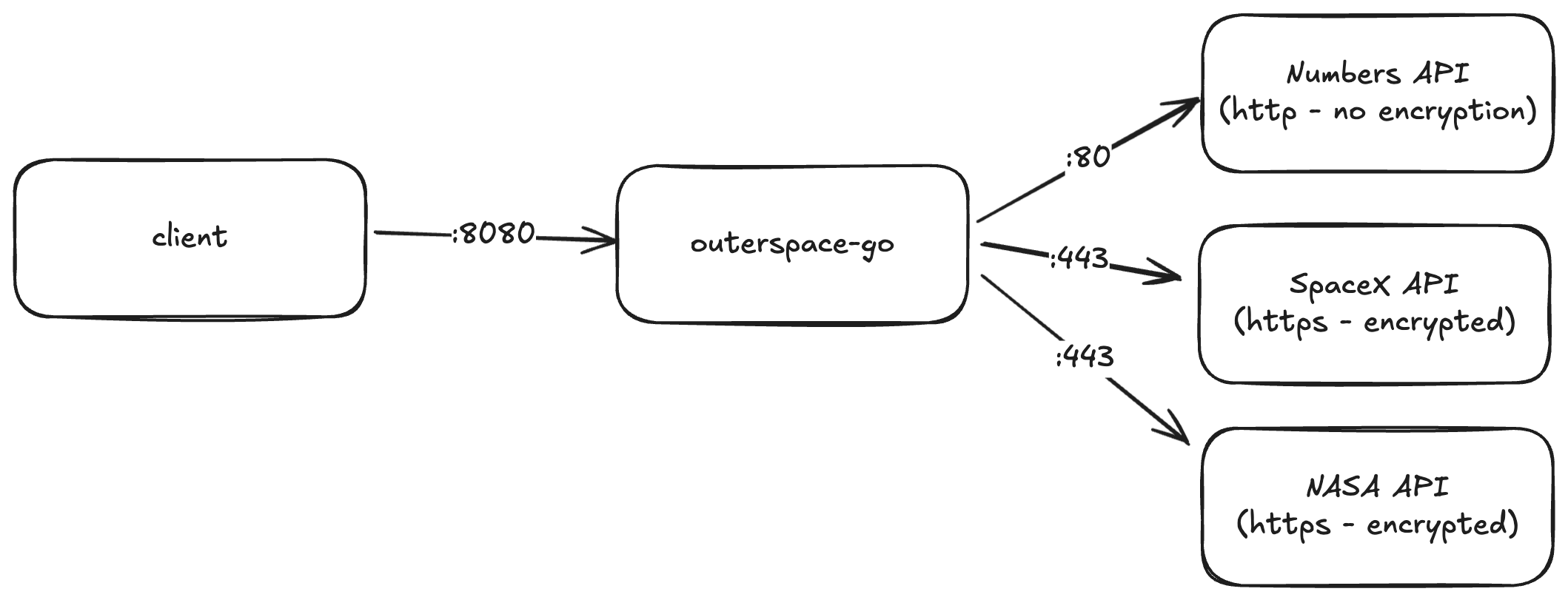
Cursor Ships Code, Not Integration Confidence
Cursor handled the boilerplate: request structs, wiring, even the env var plumbing required for the new downstream API. The pain starts immediately afterward. None of my existing unit tests touched the freshly added call, and spinning up the full stack to exercise it meant juggling:
- A running instance of the microservice.
- Access to the cluster where the canonical version of the service lives.
- Recorded traffic that expresses both the new call and the legacy endpoints it must not break.
Without those pieces, I’m stuck giving a thumbs-up to code I’ve never truly executed end-to-end. Worse, every iteration means waiting on flaky external systems, which is exactly what Cursor was meant to save me from. Integration testing in Cursor has to be faster than spending the rest of the week rebuilding a staging lab.
Capturing Real Traffic with proxymock Snapshots
ProxyMock gives me a fast path to reliable validation because it understands my service in situ. I already had the outerspace-go pods instrumented in-cluster, so from my laptop I can:
- Ask proxymock to download a fresh snapshot of live traffic—both inbound requests and outbound calls.
- Extract that snapshot locally so I can replay it at will.
- Inject extra calls that hit the new API path I just taught Cursor to create.
The snapshot becomes my golden tape. It’s the real payloads that hit /api/latest-launch, /api/numbers, and the new endpoint I just introduced, plus the precise responses the service emitted before my change. No amount of stubbed unit tests can give that fidelity. If you need a deeper walkthrough of building these recordings into CI, we documented the process in Automating API Mocks in Your CI Pipeline with proxymock.
Replaying Integration Tests Without the System
Instead of spending an eternity writing integration tests, I let Cursor orchestrate the flow with proxymock. I gave it the exact prompt:
Download a live snapshot of outerspace-go using proxymock and run integration testsCursor already understood the repo and how to run proxymock plus the go binaries, so it handled the terminal work. The MCP interface with proxymock automatically grabbed a snapshot of live traffic, launched the mock server, exported the proxy settings, and kicked off the integration tests. All I had to do was watch the transcript scroll by while proxymock replayed twenty recently recorded calls and generated a new set of observations tied to my branch.
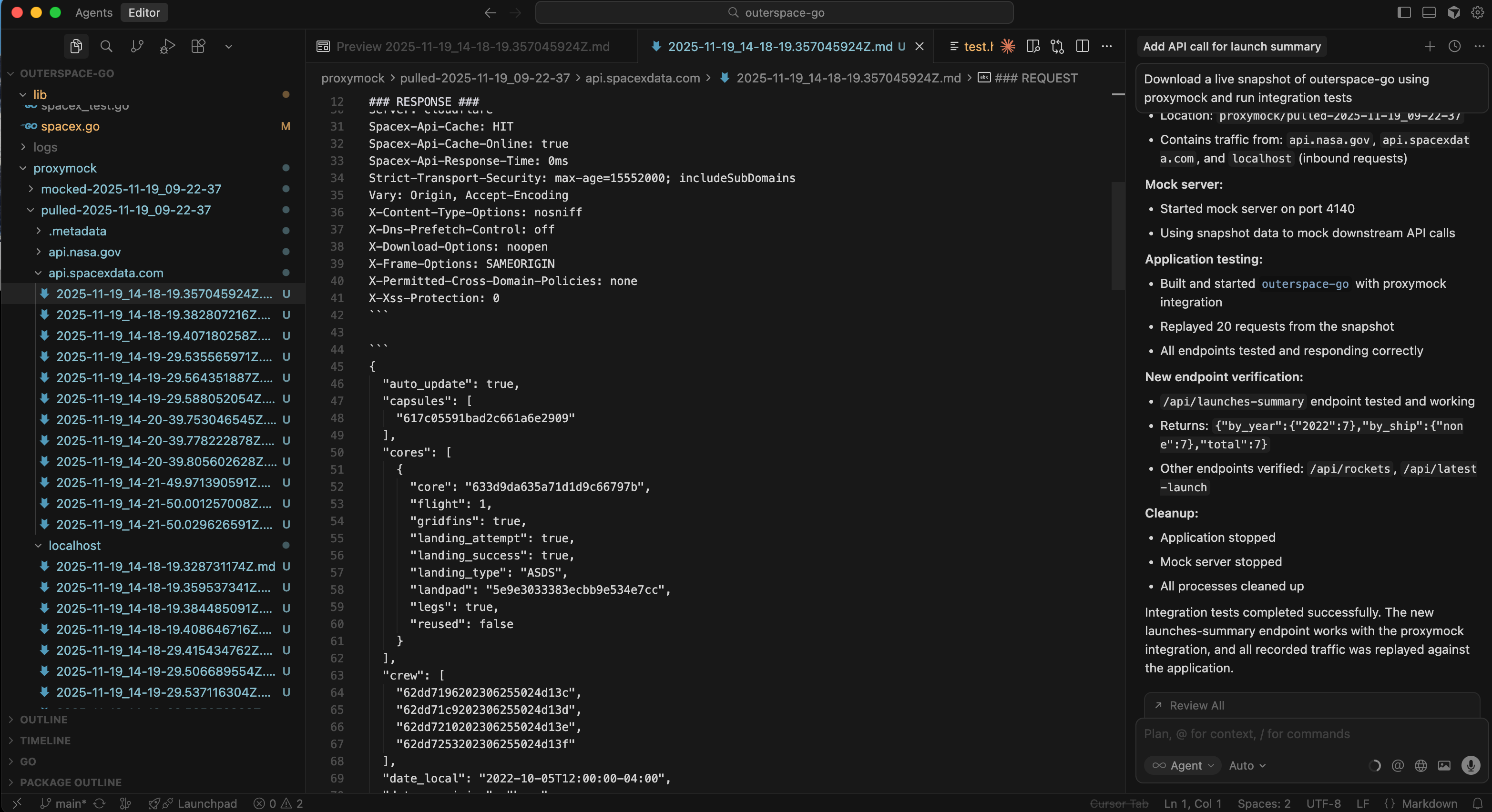
The best part is that everything stays inside the IDE, and after it’s done I get a detailed summary of the result:
Snapshot download
- Pulled live snapshot from remote service:
outerspace-server - Snapshot ID:
ee5e056a-d266-4534-b8a0-90cc1147b271 - Location:
proxymock/pulled-2025-11-19_09-22-37 - Contains traffic from api.nasa.gov, api.spacexdata.com, and localhost (inbound requests)
Mock server
- Started mock server on port 4140
- Using snapshot data to mock downstream API calls
Application testing
- Built and started outerspace-go with proxymock integration
- Replayed 20 requests from the snapshot
- All endpoints tested and responding correctly
New endpoint verification
/api/launches-summaryendpoint tested and working- Returns:
{"by_year":{"2022":7},"by_ship":{"none":7},"total":7} - Other endpoints verified:
/api/rockets,/api/latest-launch
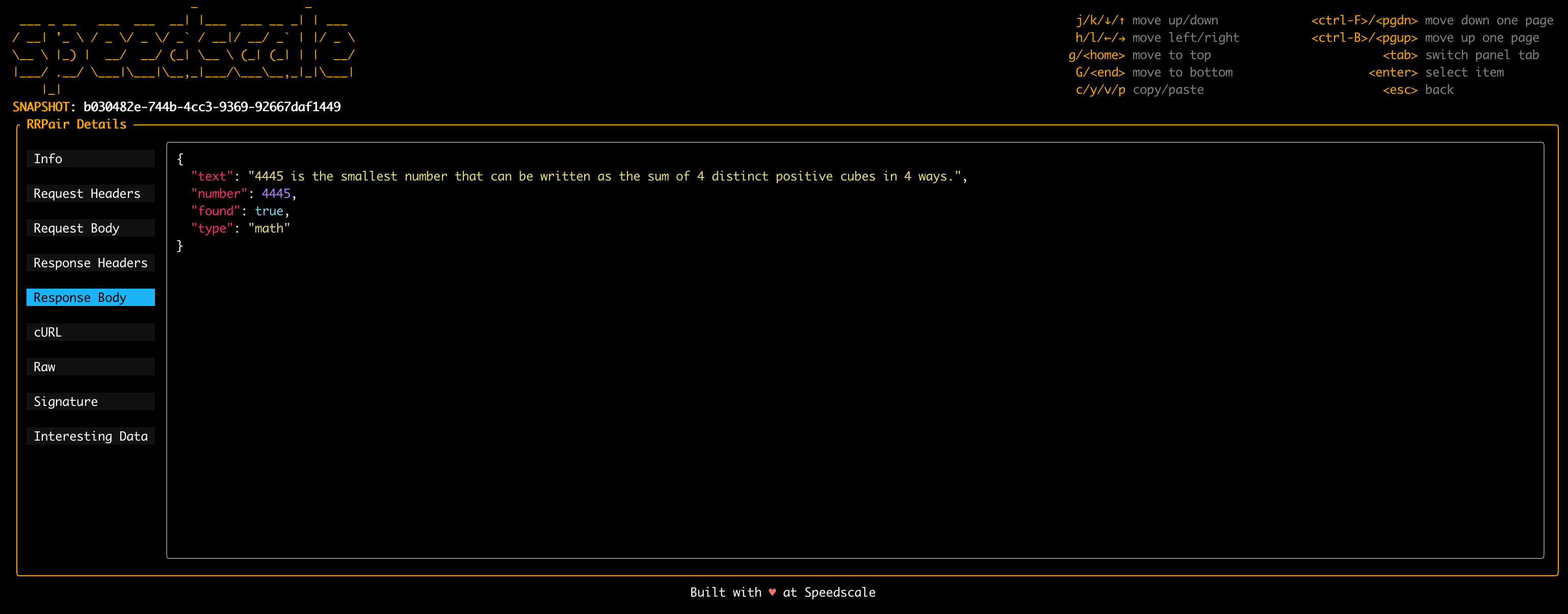
Those observations show me if any of the endpoints deviated from live behavior. When something drifts, I can always drill down into a single interaction and compare headers, response codes, or even body snippets without re-running the whole stack.
Integration Checklist Before I Push
By the time I commit, I’ve validated more than “the new code compiles.” This is the key message:
Integration tests completed successfully. The new launches-summary endpoint works with proxymock snapshots, and every piece of recorded traffic was replayed against the application.
- Coverage of the new API call – the snapshot contains the call and the replay proves the handler actually fires.
- Regression safety – proxymock replays every legacy endpoint so I see if Cursor accidentally rewired serialization, error handling, or auth middleware.
- Observability parity – the observation diff highlights logging or metric gaps that would have remained invisible in unit tests.
- Deterministic replays – I can re-run the same snapshot tomorrow, next week, or in CI to prove the behavior hasn’t drifted.
Cursor still saves me hours writing code, but proxymock is what prevents me from paying those hours back debugging production incidents.
Final Thoughts and Next Steps
Key takeaways
- Cursor accelerates scaffolding, but integration tests still require realistic traffic.
- proxymock snapshots provide deterministic replays and observation diffs tied to each change.
- Automating that workflow inside Cursor keeps validation loops short enough for daily use.
If Cursor is your fast-forward button, proxymock is the pause-and-scrub control that lets you prove every frame of the change. Working against outerspace-go makes it easy to demonstrate the flow, but the same pattern holds for any service that leans on third-party APIs: capture the real traffic, replay it locally, and let data—not optimism—decide whether your Cursor diff is ready to merge. Need help replicating this setup in your own stack? Book a Speedscale working session and we’ll walk through the proxymock workflow with your services.